Bitbucket Pipelines
You must be logged in as a Bitbucket user with read/write permissions in the selected Bitbucket workspace.
Navigate to the integrations page for your app and select Bitbucket under the Build Servers section.
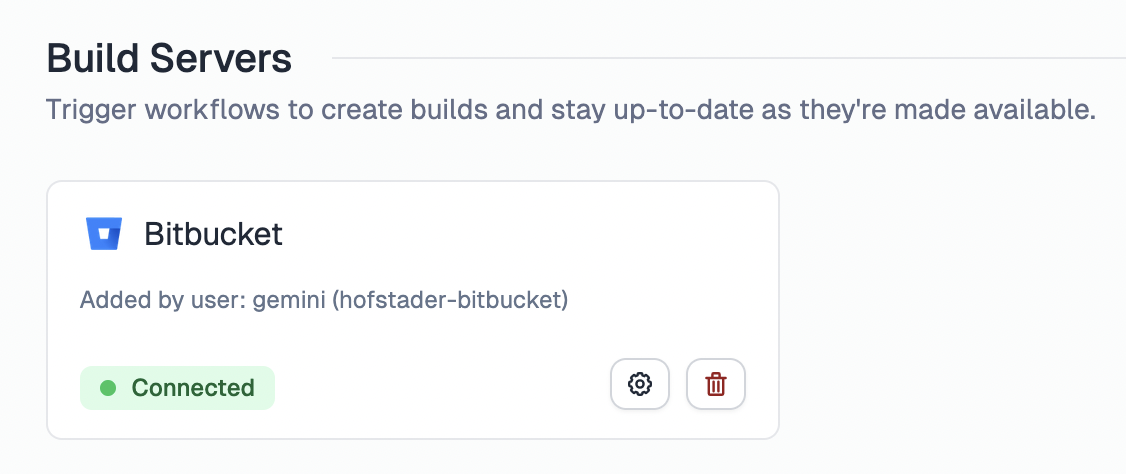
When you click the Connect button, you'll be taken through a standard OAuth flow. During this process, you can select the workspace and repository to grant access to.
Artifact handling
Unlike GitHub Actions and GitLab CI/CD which use built-in artifact storage, Bitbucket Pipelines requires you to upload build artifacts to the Bitbucket Downloads section of your repository using the atlassian/bitbucket-upload-file pipe. The artifact file must be named build-${BITBUCKET_PIPELINE_UUID} so that Tramline can locate and download it after the pipeline completes.
This requires setting up a Bitbucket App Password with the repository:write scope. Store the credentials as repository variables:
BITBUCKET_USERNAME: Your Bitbucket usernameBITBUCKET_APP_PASSWORD: The app password you created
Every pipeline that needs Tramline to pick up its build artifact must end with the upload step:
- echo 'Prepare build for upload'
- cp <path-to-your-build-output> ./build-${BITBUCKET_PIPELINE_UUID}

- pipe: atlassian/bitbucket-upload-file:0.7.3
  variables:
    BITBUCKET_USERNAME: $BITBUCKET_USERNAME
    BITBUCKET_APP_PASSWORD: $BITBUCKET_APP_PASSWORD
    FILENAME: "build-${BITBUCKET_PIPELINE_UUID}"
If your workflow uploads the build directly to a distribution channel (e.g., Firebase App Distribution) and you don't need Tramline to download the artifact, you can skip the upload step entirely.
Example Workflow
Here is a sample Bitbucket Pipelines configuration (bitbucket-pipelines.yml) which builds a signed release AAB, uploads it to Play Store using Fastlane, and also uploads the artifact to Bitbucket Downloads. Once Play Store is configured on Tramline, Tramline will automatically find this uploaded build directly on Play Store (and skip uploading the build itself).
Pipelines used with Tramline must be defined under the custom section of your bitbucket-pipelines.yml so that Tramline can trigger them on demand.
# bitbucket-pipelines.yml
image: atlassian/default-image:3

pipelines:
  custom:
    android-release-aab-playstore:
      - step:
          name: Android Release Build AAB to Play Store
          image: ghcr.io/cirruslabs/flutter:3.32.0
          caches:
            - gradle
          script:
            - flutter pub get

            - echo 'Retrieving secrets'
            - echo $KEYSTORE_B64 | base64 --decode > android/app/ueno-upload-keystore.jks
            - echo $KEY_PROPERTIES_B64 | base64 --decode > android/key.properties

            - flutter build appbundle --release --build-number=$VERSION_CODE --build-name=$VERSION_NAME --flavor prod

            - gem install fastlane
            - cd android
            - bundle install && bundle exec fastlane android distribute_to_play_store
            - cd $OLDPWD

            - echo 'Prepare build for bitbucket upload'
            - cp build/app/outputs/bundle/prodRelease/app-prod-release.aab ./build-${BITBUCKET_PIPELINE_UUID}

            - pipe: atlassian/bitbucket-upload-file:0.7.3
              variables:
                BITBUCKET_USERNAME: $BITBUCKET_USERNAME
                BITBUCKET_APP_PASSWORD: $BITBUCKET_APP_PASSWORD
                FILENAME: "build-${BITBUCKET_PIPELINE_UUID}"
The Ueno Flutter App repository has a complete working bitbucket-pipelines.yml with several custom pipeline variations: debug builds with and without artifacts, Firebase App Distribution, and Play Store uploads respectively.
You can also define a default pipeline in your bitbucket-pipelines.yml. Tramline will detect both default and custom pipelines and present them as available workflows during configuration.
Version Management
Tramline provides version information to your Bitbucket Pipelines through these variables:
$VERSION_CODE: The build number managed by Tramline (integer coerced as string)$VERSION_NAME: The version name managed by Tramline (e.g., "1.2.3")
These variables are automatically injected when Tramline triggers your pipeline. You can also pass additional custom parameters (configured under Submission Settings) which will be injected as uppercase pipeline variables.
Limitations
- No retry support: Bitbucket Pipelines does not support retrying a failed pipeline from Tramline. You would have to trigger a new run with a fresh commit.
- Artifact naming: Artifacts must follow the
build-${BITBUCKET_PIPELINE_UUID}naming convention and be uploaded to the Bitbucket Downloads section.